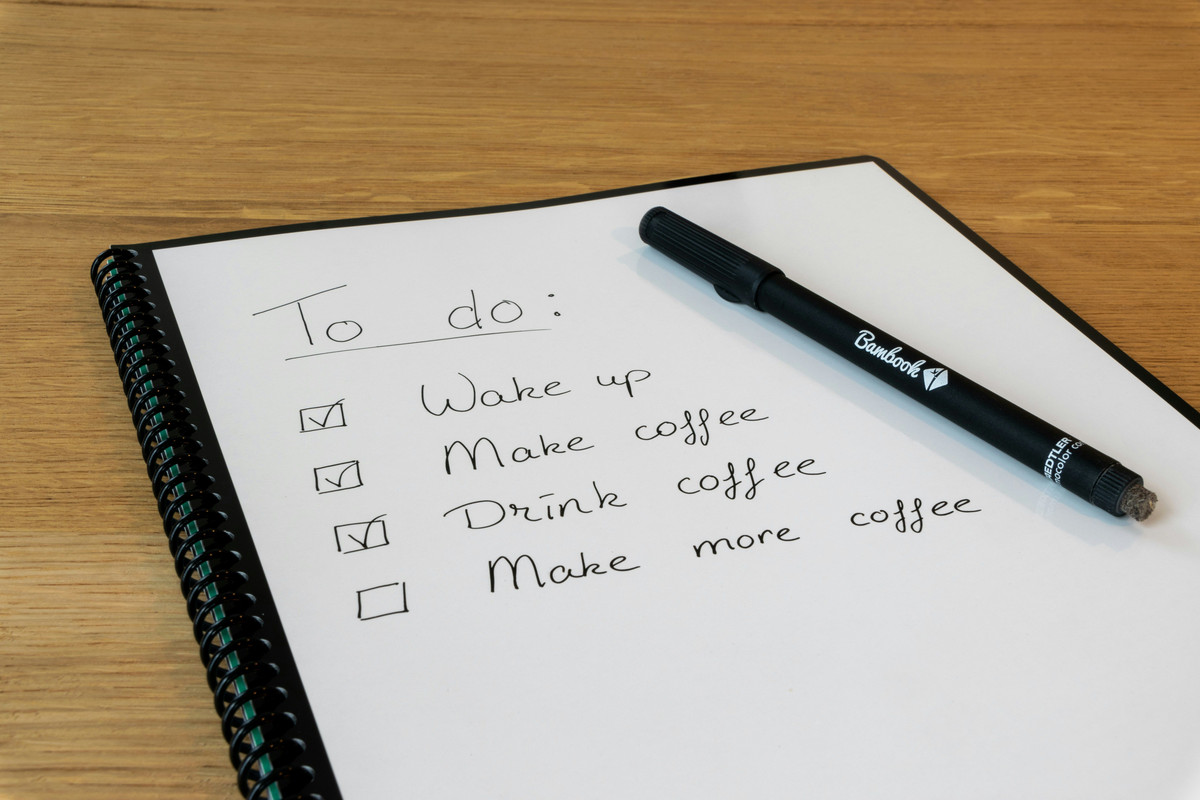
The Great Digital Declutter : An Annual Necessity

Well… that’s one way to do it…!
Image created with Copilot

Why Your Digital Life Needs an Audit

Your digital life is your second home – So why let it turn into a dumpster fire of random files and endless notifications? Do you really need screenshots of that recipe from 3 years ago?

The mental load of digital clutter distracts from creativity, focus, and growth. That’s not to mention the importance of securing your accounts and cutting down on unnecessary digital footprints.

It’s time to reclaim your digital life on your terms. I do this at least once a year, and I always feel like everything’s so much easier to deal with afterwards!

The Punk Manifesto for a Digital Audit

  • In brief : Keep what’s relevant, and what empowers you. Delete what doesn’t. When in doubt or overwhelm, archive ruthlessly into the searchable abyss.
  • The PARA Method (ref “Stop Scrolling” post) can be applied to almost anything that can be organized and searched.
  • This is about freedom, not perfection.
  • There is no “one size fits all” system – Do what works for you.

The Checklist

I tried to be inclusive, so not everything will apply to you. Do whatever you need to do. It may help to rearrange this list by which device it makes the most sense for you to work on each task (for example, laptop, phone, or tablet) – An analog mind map might help with organizing, or a digital file.

It might also help to review this list and select your top 3 areas : What stresses you out most? Where do you spend the most time looking for what you need? Start there.

In no particular order, here we go…

Email – Aim for “Inbox Zero”

  • Unsubscribe from any boring junk
  • Flag spam as such
  • Set up folders / labels for organizing essentials
  • Create filters for automation (if that would be helpful)
  • Create a separate “junk email” that you never bother to check
  • Create a spicy auto reply (”I’m busy doing awesome things, I’ll get back to you ASAP!”)
  • Phone stuff : voicemails, texts, contacts

Cloud and device files and stuff

  • Delete or archive old or unnecessary files (duplicate photos, outdated documents)
  • Organize other files into intuitive folders (use PARA, organize by year, or both!)
  • Backup important files (only important files!)
  • Consider backing up to an external hard drive
  • Delete unused apps, programs, and home screen distractions
  • Cleanup desktop, and downloads folders
  • Update software and apps you do use
  • Utilize your computer’s built in disk cleanup, storage optimization, defrag; clear cookies & cache
  • List cloud files to tackle (ie Google Photos, Google Drive, etc)
  • Clean up browser bookmarks & history
  • Turn off any annoying notifications

Social Media

  • List the social media you use (Facebook, Instagram, YouTube, TikTok, etc)
  • Unfollow accounts that are inactive or don’t add any value to your headspace
  • Audit your profiles for authenticity
  • Check privacy settings
  • Avoid oversharing!
  • Clean up saved posts and playlists

Security and Passwords

  • Consider using a password manager
  • Update weak or repeated passwords
  • Enable two factor authentication on important accounts (Google, banks, etc)
  • Check for and remove old accounts
  • Update security software

Subscriptions and Permissions

  • Cancel services you no longer use or need ($5 subscriptions add up!) – try the Rocket Money app (I plan to soon!)
  • Audit app permissions (who really needs access to your location?!?)
  • List the e-commerce sites you use (Amazon, eBay, Temu, etc)
    • Remove saved card info (you’ll thank me later)
    • Audit wishlists

If you’d like a printable PDF copy of this list, you can find one here!

Make it Fun, & Reflective!

  • Gamify the process by making a points system for every action completed, and treat yourself to rewards for milestones of points earned
  • Journal through the process :
    • How can streamlining your digital life help you take charge of your time and energy?
    • What do your digital habits reveal about your priorities?
    • What do you actually need to feel organized and in control of your digital life?
    • What habits led to clutter, and how can you avoid that next time?

Personally, my YouTube subscriptions were out of control, as was the spam in my email – It’s so much easier to deal with now that I’ve culled the clutter! And archiving has been my BFF for old files that I’m just not sure if I’ll need sometime in the future (but probably won’t, lol).

Tools to Simplify Your Digital Life

  • I don’t use password managers, but I’ve heard good things about LastPass and BitWarden. If you’re like me & prefer an analog password manager, here’s one I created to print!
  • Digital note apps : I use Notion, but Google Keep, Obsidian, Capacities, and Evernote are other good options.
  • Focus apps : I liked Forest when I used it, it’s cute. Freedom is another that I’ve heard of.
  • To do list apps : I’ve used Notion and Google Keep for that. Todoist is pretty popular. For household cleaning tasks, I’ve been using Sweepy for years!

Try & use whatever resonates with you!

Embrace Your Chaos Free Digital World

Digital audits are less about perfection and more about taking back your time, space, and energy. Take control of your digital world, and rule it like a boss.

If you enjoyed this post, please give it a “like”, help someone else ditch digital chaos by sharing this guide!, and leave a comment down below to let me know : What area are you going to start with? Did I leave anything out?

Goal Planning for Actual People

Image from Unsplash

Now that the new year has begun & lots of people are already fizzling out on their lofty but well intentioned resolutions, let’s get real & talk about goals.

I’ll admit, I’m a serial overthinker. I’ve had elaborate goal planning systems that I’ve worked with to varying degrees of success in the past. Even a slight peek in an online search of “goal setting” will overwhelm you with complicated systems that guarantee your success.

Let’s get real. It’s not that serious.

You can’t give yourself a bunch of new stuff to do. You’re not gonna do it. You know this; I know this. It’ll just stress you out & piss you off, even if you have the most efficient execution system on the planet. Just pick something. One thing. Add other things when it won’t piss you off.

With that said, I’d like to share my simplified goal planning system. Feel free to try it out for yourself, & alter it however it would work best for you!

Annual

To start each year, I like to do some journaling & establish a few things :

  • Word (or theme) of the year, & why. Of course, this can be changed any time during the year if needed, but I like to have something simple & specific to focus on. Mine trend along the lines of “intention” & “simplify”.
  • A few questions :
    • What would you like to do this year?
    • What would you like to have?
    • Who would you like to be?
    • What would be the single coolest thing that could possibly happen this year?
    • What sort of legacy do you want to leave behind when you die?
  • What does your ideal life look like? The next level version of you? Consider the roles / areas / buckets of your life (whatever you prefer to call them). – How would you like to show up for these things in your daily life? Do you ideally need more or less of anything specific?
  • Create a vision board. Don’t get too crazy. The purpose of a vision board is to remind & inspire you. Only add images that truly resonate with you. Bonus points if you use your own photos!

Periodically

Every couple months I also like to do a “Level 10 Life” & “Role Review”. Beside a list of my life roles, I rate my satisfaction with each on a scale from 1-10, & I will sometimes choose what to work on based on my lower scores. If I feel the need to elaborate, I’ll do a brief review of each role by writing down how I feel (good or bad), why, & what I’d like to improve.

Each of these practices are intended to get you contemplating different goals that you could work on. Could being a key word because you really should only be focused on one thing at a time, so I encourage you to pick something that would have the greatest positive impact on your life, & aligns most with your values. Then…

Plan Your Goals

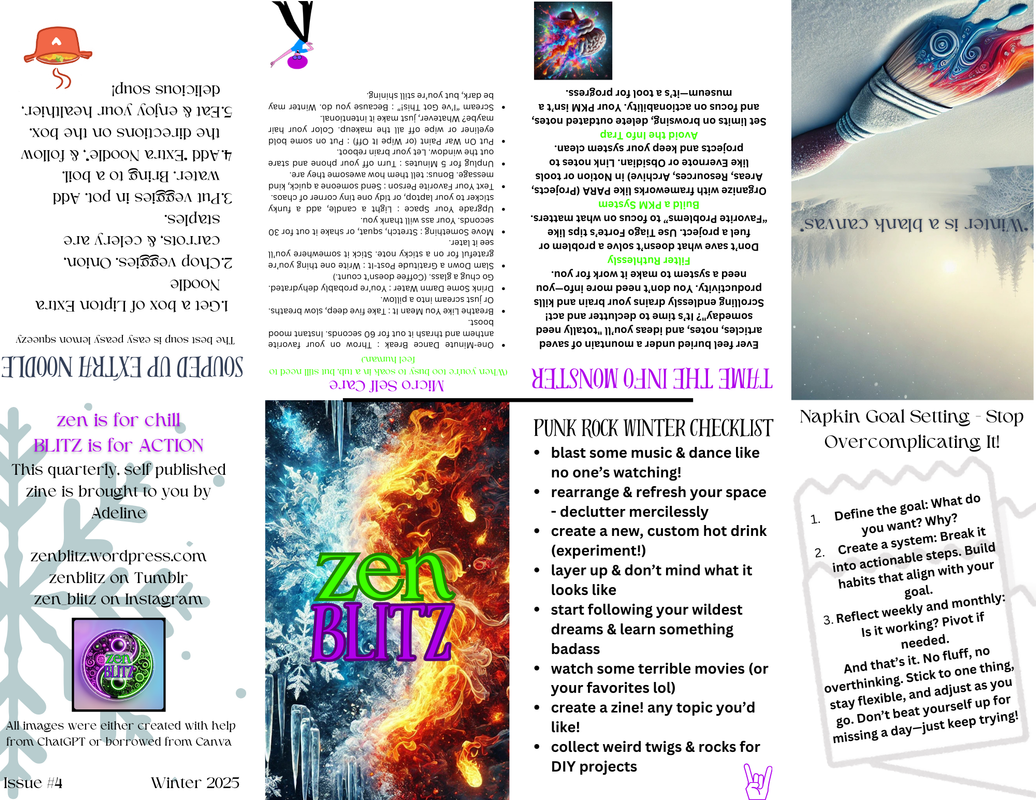
  1. Define the goal. What exactly do you want? What is the ideal end result? Why? Is this a task based project, a habit forming lifestyle change, or both?
  2. Create a plan & a system. What action steps can you take to move toward that ideal end result? Only give yourself functional tasks that will contribute real progress toward your goal. What systems or habits can you implement into your daily life to ensure you make consistent progress? And how can you keep yourself accountable?
  3. Execute the plan / system.
  4. Reflect weekly, and monthly. Ask yourself “Am I making progress here? How, or why not? How can I improve next week / month?” This is an essential step, so don’t skip it!
  5. Pivot, if needed.

That’s it. That’s what every single goal planning system boils down to. Don’t worry that you’re forgetting something – If it’s important, you’ll realize that & pivot thanks to your regular reflections! Just live your fucking life, & don’t overcomplicate it. (There’s a good goal idea!)

What would you like to work on this year? Let me know in the comments below – Maybe I can help!

Super Simple Methods For Prioritizing Your Tasks

If you’re overwhelmed by endless to-do lists, I’m sharing my top methods to help you prioritize and simplify your day.

Image credit : Unsplash

Tools

The only tools you truly need for managing your tasks & schedules are a calendar & a task management system. Personally, I’ve been using Notion for both – A calendar database for scheduled appointments as well as daily task lists, and a separate task database influenced by the GTD & the Eisenhower Matrix systems.

Daily Task Prioritization

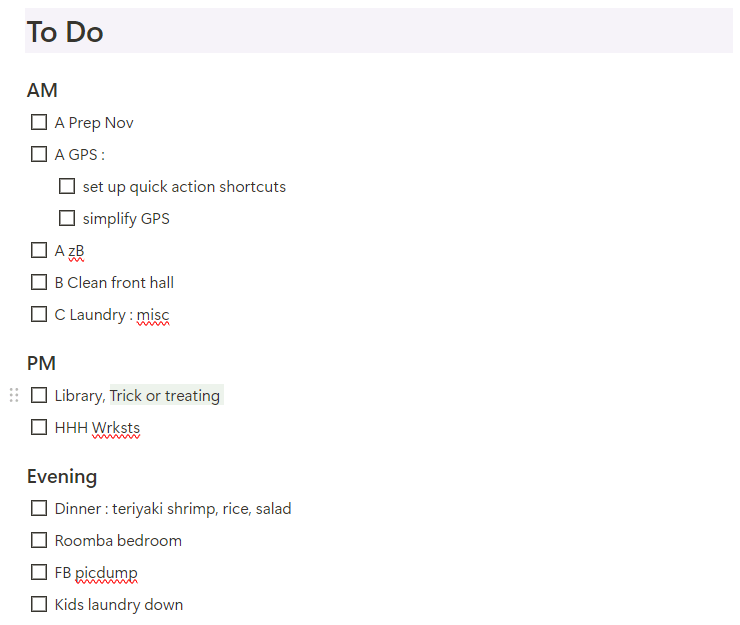
Each day, my task list is divided up by “morning”, “afternoon”, & “evening”. This is a version of the “Time Boxing” method that I started using with the Happy Planner, and it’s been immensely helpful. To schedule my days, I simply add tasks to the “box” when I can work on those tasks during the day.

I then effortlessly prioritize the order in which I actually do those tasks using Franklin Covey’s ABC method :

  • A = Must do
  • B = Should do
  • C = Would like to do

From there, I sometimes number them to prioritize what order I will actually do these tasks. The major benefit of this system on Notion is that I can easily drag & drop the items in the order that I want to do them. If I didn’t have time during the morning, I can easily move them to another block of time later in the day.

Managing General Tasks

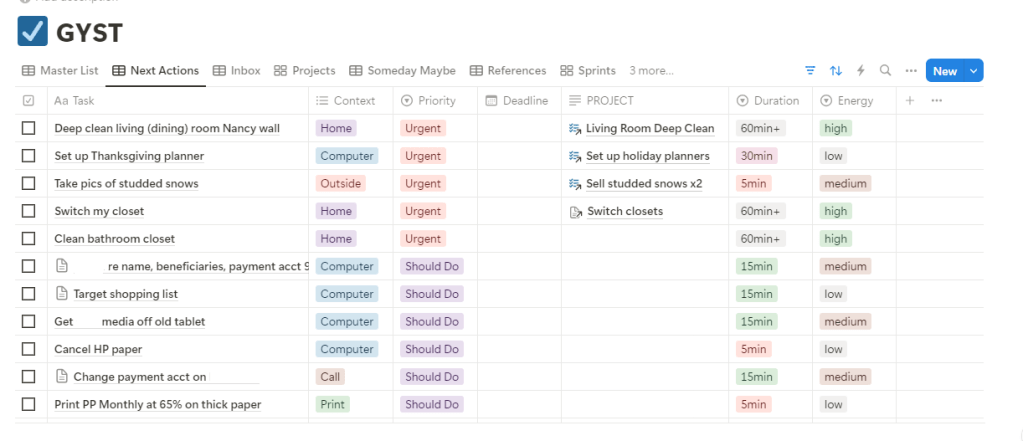
For tasks that don’t have a deadline, I manage them in a separate Notion database that I call my “GYST” (Get Your Shit Together) list. Notion database properties come in handy for this system, as it is heavily influenced by the GTD method & the Eisenhower Matrix method.

The base of the database is a “Master List”, which I never look at because everything is organized into different views from there.

Anything & everything goes into my “Inbox” tag : next steps for my blog, purchases made throughout the day, anything that I need to remember. I review & organize this information every morning before I set up my daily task list.

There are several other tags I use too (”Someday Maybe”, “Waiting On”, etc), but for the purposes of this post, we’ll be focusing on my “Next Actions” list – this is for things that need to be done sooner than later.

I have a formula set up that will tell me where to put certain items based on the “Eisenhower Matrix”. For example, if I click that a task is “urgent” & “important”, it will tell me to put it in the “Next Actions” list as “Urgent” priority. Another example is if it’s “not important” & “not urgent”, it will suggest the “Someday Maybe” list.

Other GTD inspired properties I use include the energy I assume the task will take, the time I assume it will take, the context (such as home, errands, computer), & any associated links (such as project pages). These are for me to be able to easily pick something to accomplish if I find myself with some free time.

Conclusion

It may sound a bit complicated, but it’s really not. I’ll try to set up a customized Notion page with all of my essential databases soon so that I can share it with everyone, & you’ll see how useful Notion can be! Of course, these systems can be adapted into most apps or analog notebooks, and personalized however you need, but I feel like Notion is the simplest & most useful tool for managing my productivity right now.

With a simple calendar & a task management system, you can be the most useful person in your life! 😜

What do you use to manage your days? Let me know in the comments below!