Capacities Finally Clicked for Me (Hereโ€™s What I Was Doing Wrong)

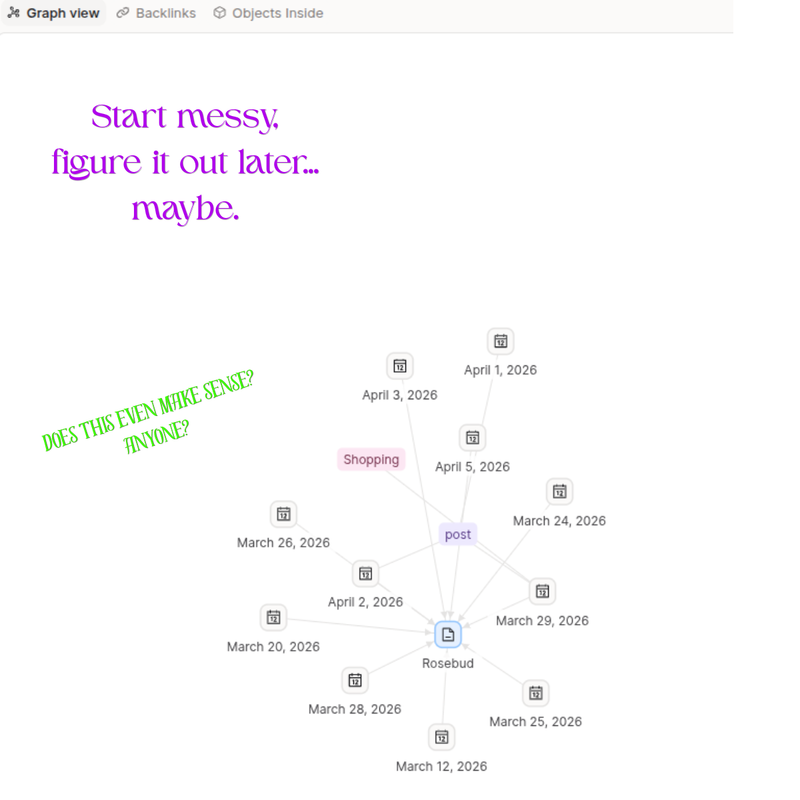
Capacities “graph” view…..

Why Capacities Didnโ€™t Click (At First)

I heard about Capacities a year or so ago – everyone on YouTube seemed to be comparing it to Notion and Obsidian.

I love Notion. Obsidian, honestly, looks like a clusterfuck waiting to happen with the way my brain works.

I liked the idea of it, but I couldn’t for the life of me figure out how to make it work effectively. Until one dayโ€ฆ


What Capacities Actually Is (Without the Buzzwords)

So, Capacities is a โ€œPKMโ€ (โ€personal knowledge managementโ€) platform, available on the web & as an app.

What makes it different from most PKM platforms is that it uses โ€œobjectsโ€ in place of folder or topic hierarchies, which helps to tie things together more easily. They do offer an idea map like Obsidian does, which I think looks really cool, but I haven’t found a practical use for it yet ๐Ÿ˜…

It’s been available for public use for over 3 years now, and they’re always trying to make it more intuitive. They, of course, have AI integrated, but I don’t know anything about it (I think it requires a paid plan, but I’m not sure).


What Finally Made It Work for Me

I was watching a video on YouTube about using Apple Notes for daily logging, & it made something click in my head about how to use Capacitiesโ€ฆ

You don’t start with tags & pages, you build them off your daily notes!

The base of Capacities seems to be their โ€œdaily noteโ€, which you can customize with a template if you’d like.

So, I started doing โ€œinterstitial journalingโ€ (a Bullet Journal term) in my daily notes, and added pages & tags as I saw fit.

Those tags & pages become their own pages, where every related note is already connected and visible – no copying, no organizing gymnastics. (I must point out, though – “pages” have static space for notes to add to the “object”, while “tags” don’t. Just something to bear in mind)

For things like PKM, I feel like Capacities is much more flawless than Notion. It almost feels less organized – but it isnโ€™t. Itโ€™s just organized in a way that actually matches how many peoplesโ€™ brains work.

I’ll obviously still use Notion for almost everything, but I’ve been enjoying playing with Capacities for about a month now. I like that I have pages for restaurants (so I know what to order next time I go there), shopping (so I know where to find unique items I’ve discovered), & I even have a โ€œlawyerโ€ page to keep track of some current bullshit (lol ๐Ÿ˜ญ) – being able to see everything connected in one place, without copying & pasting or forcing it into a system, is honestly kind of a relief.


Final Thoughts (Is It Worth It?)

Now that I actually understand how to use it, I really like Capacities. Itโ€™s simple, intuitive, and unexpectedly kind of fun.

If youโ€™ve tried it and bounced off, try giving it another shot – Iโ€™d love to hear how you use it!

Stay real. Stay loud. And rock the fuck on. ๐Ÿ’š๐Ÿค˜๐Ÿป

Stop Scrolling! : Mastering Intentional Information Consumption

Image generated with Copilot

Do you ever feel like youโ€™re hoarding information, and not doing anything with it? Saying to yourself โ€œOh, Iโ€™ll totally need to know that someday!โ€, & that day never comes? All those articles & notes you have saved are really a burden, not a badge of honor, if you never use or even review them! In this post, Iโ€™m going to share some no BS tips for using information intentionally to get things done.

Why Information Overload Sucks

Endlessly scrolling through social media or blog feeds sucks the energy right out of your brain. This can then suck the life out of the rest of your day, causing decision fatigue over every little thing (โ€blue shirt or black shirt – argh!โ€), & distract you from making important progress in different areas of your life.

The truth is, you donโ€™t need more info – You need a system to make the info you do consume work for you.

Game Plan = Filter Ruthlessly

One filtering method would be to avoid saving anything that doesnโ€™t contribute to a project youโ€™re working on or a problem youโ€™re trying to solve.

Tiago Forte has some good tips for information management (check out his website at Forte Labs). One tip is to keep a list of โ€œFavorite Problemsโ€ – complicated life problems that donโ€™t have a simple answer, & which should be edited occasionally to keep it relevant. For example, one of my favorite problems is โ€œHow can I create a reasonably profitable business that fulfills my need to help others, without consuming too much of my time?โ€

Tiagoโ€™s CODE framework is another good tip, which focuses on actionability – Capture useful information, Organize it by how the information can be used, Distill it down to the main points, & Express it as a new article or idea. But make sure you keep note of the source!

Build a Personal Knowledge Management (PKM) System That Works

Like many people, I prefer to use a digital notetaking system because itโ€™s easy to organize & search through. An analog system (such as a commonplace book or Zettelkasten) can be useful to help you remember important information, but donโ€™t stop there!

Tiagoโ€™s PARA method works well for organizing information. Projects are considered anything youโ€™re currently working on that has a short term end date; Areas are ongoing aspects of your life (household management, personal health, etc); Resources are topics of interest that donโ€™t fit into the first two categories; and Archive is for anything that is currently irrelevant but may be useful in the future. These four main categories can be broken down further and used as folders or tags for whatever system you choose to use – I use a Notion database, but you could also use platforms such as Google Keep, Evernote, or Obsidian for digital note organization.

Another benefit of a digital PKM is that you can easily link relevant notes together, or even link them directly onto a project page (which Tiago refers to as โ€œIntermediate Packetsโ€).

Stay Out of the Info Trap

Set some rules to avoid saving all the things, & stick to it!

  1. Limit how much time you spend browsing new information
  2. Donโ€™t save it if you wonโ€™t use it
  3. Review & delete or archive outdated stuff – Your PKM isnโ€™t a museum

Conclusion

Information is useless if you donโ€™t use it.

Audit your info intake today, & turn knowledge into momentum – Share how youโ€™re cutting the clutter in the comments below!