

Why Your Digital Life Needs an Audit
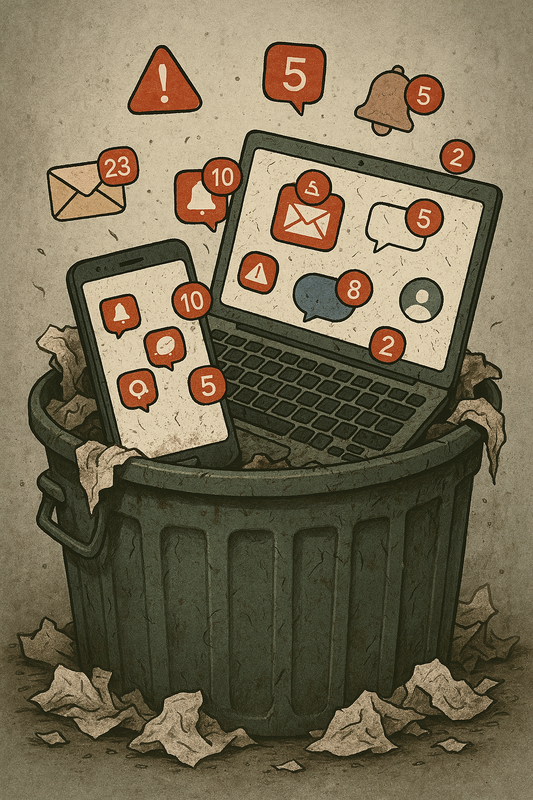
Your digital life is your second home – So why let it turn into a dumpster fire of random files and endless notifications? Do you really need screenshots of that recipe from 3 years ago?
The mental load of digital clutter distracts from creativity, focus, and growth. That’s not to mention the importance of securing your accounts and cutting down on unnecessary digital footprints.
It’s time to reclaim your digital life on your terms. I do this at least once a year, and I always feel like everything’s so much easier to deal with afterwards!
The Manifesto for a Digital Audit
- In brief : Keep what’s relevant, and what empowers you. Delete what doesn’t. When in doubt or overwhelm, archive ruthlessly into the searchable abyss.
- The PARA Method (Stop Scrolling) can be applied to almost anything that can be organized and searched.
- This is about freedom, not perfection.
- There is no “one size fits all” system – Do what works for you.
The Checklist
I tried to be inclusive, so not everything will apply to you. Do whatever you need to do. It may help to rearrange this list by which device it makes the most sense for you to work on each task (for example, laptop, phone, or tablet) – An analog mind map might help with organizing, or a digital file.
It might also help to review this list and select your top 3 areas : What stresses you out most? Where do you spend the most time looking for what you need? Start there.
Again, this isn’t about becoming a productivity robot — it’s about reducing friction in your real life.
In no particular order, here we go…
Email – Aim for “Inbox Zero”
- Unsubscribe from any boring junk
- Flag spam as such
- Set up folders / labels for organizing essentials
- Create filters for automation (if that would be helpful)
- Create a separate “junk email” that you never bother to check
- Create a spicy auto reply (”I’m busy doing awesome things, I’ll get back to you ASAP!”)
- Phone stuff : voicemails, texts, contacts
Cloud and device files and stuff
- Delete or archive old or unnecessary files (duplicate photos, outdated documents)
- Organize other files into intuitive folders (use PARA, organize by year, or both!)
- Backup important files (only important files!)
- Consider backing up to an external hard drive
- Delete unused apps, programs, and home screen distractions
- Clean up desktop, and downloads folders
- Update software and apps you do use
- Utilize your computer’s built in disk cleanup, storage optimization, defrag; clear cookies & cache
- List cloud files to tackle (ie Google Photos, Google Drive, etc)
- Clean up browser bookmarks & history
- Turn off any annoying notifications
Social Media
- List the social media you use (Facebook, Instagram, YouTube, TikTok, etc)
- Unfollow accounts that are inactive or don’t add any value to your headspace
- Audit your profiles for authenticity
- Check privacy settings
- Avoid oversharing!
- Clean up saved posts and playlists
Security and Passwords
- Consider using a password manager
- Update weak or repeated passwords
- Enable two factor authentication on important accounts (Google, banks, etc)
- Check for and remove old accounts
- Update security software
Subscriptions and Permissions
- Cancel services you no longer use or need ($5 subscriptions add up!)
- Audit app permissions (who really needs access to your location?!?)
- List the e-commerce sites you use (Amazon, eBay, Temu, etc)
- Remove saved card info (you’ll thank me later)
- Audit wishlists
Make it Fun, & Reflective!
- You could gamify the process by making a points system for every action completed, and treat yourself to rewards for milestones of points earned
- Journal through the process :
- How can streamlining your digital life help you take charge of your time and energy?
- What do your digital habits reveal about your priorities?
- What do you actually need to feel organized and in control of your digital life?
- What habits led to clutter, and how can you avoid that next time?
Personally, my YouTube subscriptions were out of control, as was the spam in my email – It’s so much easier to deal with now that I’ve culled the clutter! And archiving has been my BFF for old files that I’m just not sure if I’ll need sometime in the future (but probably won’t, lol).
Tools to Simplify Your Digital Life
- I don’t use password managers, but I’ve heard good things about LastPass and BitWarden.
- Digital note apps : I use Notion, but Google Keep, Obsidian, Capacities, and Evernote are other good options.
- Focus apps : I liked Forest when I used it, it’s cute. Freedom is another that I’ve heard of.
- To do list apps : I’ve used Notion and Google Keep for that. Todoist is pretty popular. For household cleaning tasks, I’ve been using Sweepy for years!
Try & use whatever resonates with you, because you obviously don’t need all of these — pick one tool per category at most.
Embrace Your Chaos Free Digital World
Digital decluttering isn’t about perfection — it’s about making your tech support your life instead of draining it.
Start small. Pick one area. Fifteen minutes counts.
If this helped you, give it a like, share it with someone drowning in notifications, and tell me in the comments: where are you starting your digital declutter?
Rock on! 🤘💚


 zen BLITZ